
Apache 2.2 compiles perfectly on Mac OS X. We are running an Intel Mac Version 10.5.6. Let’s create a place to compile this that is separate from other software. First we need to log on as root for convenience:
srv-5:~ usr4$ sudo su Password: sh-3.2# |
Let’s create a /usr/local/src to compile the software in. This will also create /usr/local as a destination:
sh-3.2# mkdir -p /usr/local/src sh-3.2# cd /usr/local/src |
The software is available here. Extract the source tarball:
sh-3.2# ls httpd-2.2.11.tar.bz2 sh-3.2# tar -xjf *.bz2 sh-3.2# ls httpd-2.2.11 httpd-2.2.11.tar.bz2 sh-3.2# cd httpd*11 |
We are going to configure with a minimal set of features:
sh-3.2# ./configure --prefix=/usr/local/apache2 --disable-actions --disable-asis --disable-charset-lite --disable-env --disable-imap --disable-status --disable-cgi --disable-cgid --disable-userdir --enable-include checking for chosen layout... Apache checking for working mkdir -p... yes checking build system type... i386-apple-darwin9.6.0 checking host system type... i386-apple-darwin9.6.0 checking target system type... i386-apple-darwin9.6.0 Configuring Apache Portable Runtime library ... checking for APR... yes setting CC to "gcc" setting CPP to "gcc -E" setting CFLAGS to " " setting CPPFLAGS to " -DDARWIN -DSIGPROCMASK_SETS_THREAD_MASK -no-cpp-precomp" setting LDFLAGS to " " Configuring Apache Portable Runtime Utility library... . . . config.status: creating support/phf_abuse_log.cgi config.status: creating support/split-logfile config.status: creating build/rules.mk config.status: creating build/pkg/pkginfo config.status: creating build/config_vars.sh config.status: creating include/ap_config_auto.h config.status: executing default commands sh-3.2# |
Compile:
sh-3.2# make Making all in srclib Making all in pcre /usr/share/apr-1/build-1/libtool --silent --mode=compile gcc -DDARWIN - DSIGPROCMASK_SETS_THREAD_MASK -no-cpp-precomp -I/usr/local/src/httpd-2.2.11/srclib/pcre -I. -I/usr/local/src/httpd-2.2.11/os/unix -I/usr/local/src/httpd-2.2.11/server/mpm/prefork -I/usr/local/src/httpd-2.2.11/modules/http -I/usr/local/src/httpd-2.2.11/modules/filters -I/usr/local/src/httpd-2.2.11/modules/proxy -I/usr/local/src/httpd-2.2.11/include -I/usr/local/src/httpd-2.2.11/modules/generators -I/usr/local/src/httpd-2.2.11/modules/mappers -I/usr/local/src/httpd-2.2.11/modules/database -I/usr/include/apr-1 -I/usr/local/src/httpd-2.2.11/modules/proxy/../generators . . . ttpd modules.lo buildmark.o -export-dynamic server/libmain.la modules/aaa/libmod_authn_file.la modules/aaa/libmod_authn_default.la modules/aaa/libmod_authz_host.la modules/aaa/libmod_authz_groupfile.la modules/aaa/libmod_authz_user.la modules/aaa/libmod_authz_default.la modules/aaa/libmod_auth_basic.la modules/filters/libmod_include.la modules/filters/libmod_filter.la modules/loggers/libmod_log_config.la modules/metadata/libmod_setenvif.la modules/http/libmod_http.la modules/http/libmod_mime.la modules/generators/libmod_autoindex.la modules/mappers/libmod_negotiation.la modules/mappers/libmod_dir.la modules/mappers/libmod_alias.la modules/mappers/libmod_so.la server/mpm/prefork/libprefork.la os/unix/libos.la /usr/local/src/httpd-2.2.11/srclib/pcre/libpcre.la -L/usr/lib -R/usr/lib -laprutil-1 -lsqlite3 -lexpat -liconv -L/usr/lib -R/usr/lib -lapr-1 -lpthread |
Install:
sh-3.2# make install Making install in srclib Making install in pcre Making install in os Making install in unix Making install in server Making install in mpm Making install in prefork Making install in modules Making install in aaa mkdir /usr/local/apache2 . . . mkdir /usr/local/apache2/build Installing man pages and online manual mkdir /usr/local/apache2/man mkdir /usr/local/apache2/man/man1 mkdir /usr/local/apache2/man/man8 mkdir /usr/local/apache2/manual |
Start up Apache:
/usr/local/apache2/bin/apachectl start |
Browsing to localhost should show that it works:
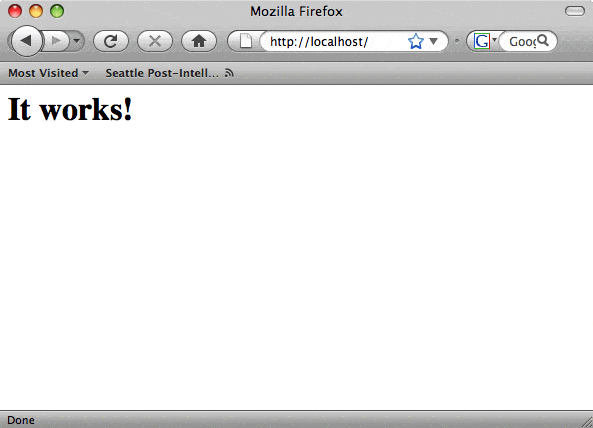
Verify that what you looked at was served up from the new web server by tailing /usr/local/apache2/logs/access_log:
sh-3.2# :1 - - [17/Dec/2008:19:04:50 -0800] "GET / HTTP/1.1" 200 44 ::1 - - [17/Dec/2008:19:04:50 -0800] "GET /favicon.ico HTTP/1.1" 404 209 ::1 - - [17/Dec/2008:19:04:53 -0800] "GET /favicon.ico HTTP/1.1" 404 209 sh-3.2# sh-3.2# date Wed Dec 17 19:05:07 PST 2008 sh-3.2# |
To get Apache to start at system startup, we need to put a couple files into an httpd directory that we create in /Libarary/StartupItems:
srv-5:StartupItems root# pwd /Library/StartupItems srv-5:StartupItems root# ls httpd srv-5:StartupItems root# cd httpd srv-5:httpd root# ls httpd StartupParameters.plist |
This is what the httpd file looks like:
#!/bin/sh
. /etc/rc.common
StartService() {
/usr/local/apache2/bin/apachectl start
}
StopService() {
/usr/local/apache2/bin/apachectl stop
}
RestartService() {
/usr/local/apache2/bin/apachectl restart
}
RunService "$1"
|
This is what the StartupParameters.plist looks like:
{
  Description     = "httpd";
  Uses            = ("Disks");
}
|
Reboot to make sure, and you now have an Apache web server ready to serve up HTML documents.




