NetAdminTools.com
 
SignalQ Sites:
NetAdminTools - Coprolite - NoNIC - SpotBridge - NAW
RoboCoop - AreWeDown - SolarPower - SysAdminTools
Xfig - Gold Loaf - GeekPapa - FixGMC - MCJ - FixRambler
Categories:
GNU/Linux | Homebrew designs | Perl | Administration | Backup/Recovery | Bugs/Fixes | Certification | Database | Email | File/Print | Hardware | Information Grab Bag | Interoperability | GNU/Linux ABCs | Monitoring | Name Resolution | Network Services | Networking | Remote Control | Security | Desktop | Web | BSD | Solaris | GIAGD | REALbasic

Last 30 Days | Last 60 Days | Last 90 Days | All Articles | RSS | Hail Support


Categories:
·GNU/Linux
·Homebrew designs
·Perl
·Administration
·Backup/Recovery
·Bugs/Fixes
·Certification
·Database
·Email
·File/Print
·Hardware
·Information Grab Bag
·Interoperability
·GNU/Linux ABCs
·Monitoring
·Name Resolution
·Network Services
·Networking
·Remote Control
·Security
·Desktop
·Web
·BSD
·Solaris
·GIAGD
·REALbasic
·All Categories


Backing Up Windows XP With FreeNAS
Topic: Backup/Recovery   Posted:2006-03-16
Printer Friendly: Print

spacer
We wrote about FreeNAS in this series of articles. A lot has happened with FreeNAS since then. The most important addition is user security for CIFS. We brought up an old PII 333 box to test performance, and it passed with flying colors doing a rather large backup over the network.

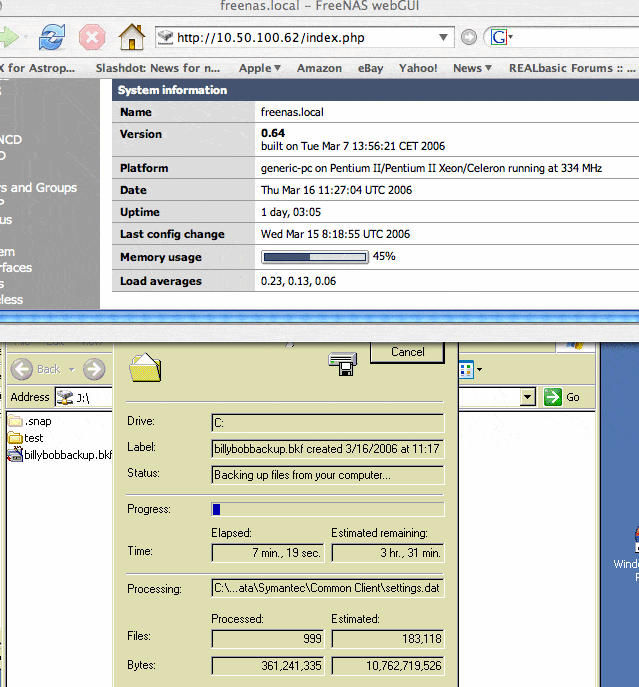
Here is a screenshot showing the administrative web page that lists server load, as well as the XP session doing a full system backup using the built-in backup utility (start->Accessories->System Tools->Backup):


Here is the panel that sets the user authentication:
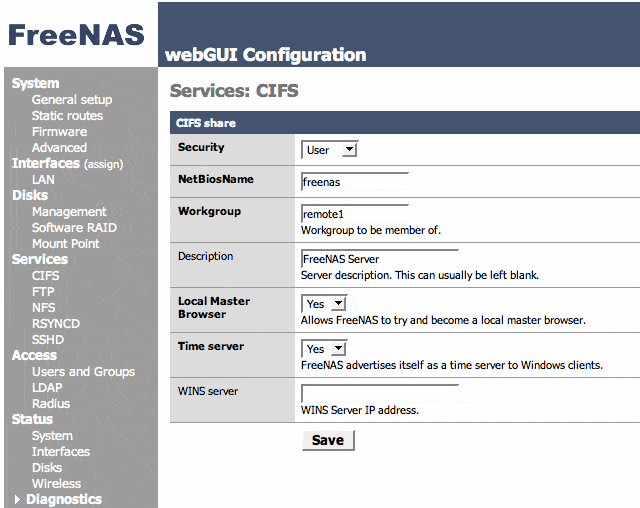


Note that this is not domain authentication; however, for a simple location to back up files to, this works well. We'll check back in on this project in the future as more features are added.

When the full system backup is finished, a dialog will pop up:
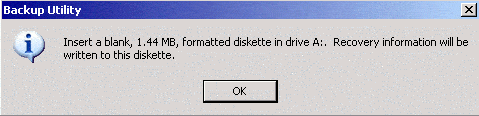


Put a formatted diskette in the drive and click OK:
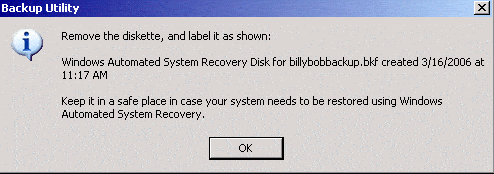


A dialog will pop up advising to label the disk and be careful with it. We like to create an image of the diskette for later use by mounting the FreeNAS share and then using cat to save the image of the diskette to the share:

[root@srv-1 usr-1]# mount -t smbfs -o username=username,
password=password //10.50.100.62/share /mnt
[root@srv-1 usr-1]# ls /mnt
backup01.log  billybobbackup.bkf  test
[root@srv-1 usr-1]# cat /dev/fd0 > /mnt/asrbillybob-3-16-2006.img

Notice that we saved the log file on the FreeNAS share as well.



Please read our Terms of Use
Microsoft, Windows, Windows XP, Windows 2003, Windows 2000, and NT are either trademarks or registered trademarks of Microsoft Corporation. NetAdminTools.com is not affiliated with Microsoft Corporation. Linux is a registered trademark of Linus Torvalds, and refers to the Linux kernel. The operating system of most distributions that contain the Linux kernel is GNU/Linux. All logos and trademarks in this site are property of their respective owner. Copyright 1997-2008 NetAdminTools.com

Created by:
MCJ
MCJ CMS

