
MRTG is a monitoring tool for traffic loads on network-links. It will create HTML pages with visual representation of both the current and historical load on the device. The server we will use for this article is the Gentoo box we built in this article. With Gentoo, we simply run emerge and a bunch of stuff happens:
srv-3 root # emerge mrtg Calculating dependencies - >>> emerge (1 of 12) media-libs/jpeg-6b-r3 to / >>> md5 src_uri ;-) jpegsrc.v6b.tar.gz . . . |
That is the nice thing about Gentoo, you don’t really have to worry about all of the prerequisites for the program you want to run. True with other package managers as well, like RPM or apt-get; however, Gentoo allows you to upgrade any time you want without being tied to unsupported distributions.
We have an old Cisco 1720 router that we used to test this with. Our SNMP config looks like this:
snmp-server engineID local 00000009020000500F0254CC snmp-server community public RO snmp-server enable traps snmp snmp-server enable traps isdn call-information snmp-server enable traps hsrp snmp-server enable traps config snmp-server enable traps entity snmp-server enable traps frame-relay snmp-server enable traps rtr snmp-server enable traps rsvp |
Do make sure you secure your SNMP better than this. That is not the focus of this article though. We just want to get MRTG running. Once MRTG is compiled and installed, use cfgmaker to generate a config file:
srv-3 htdocs # cfgmaker --global 'WorkDir: /var/www/localhost/htdocs/mrtg' --global 'Options[_]: bits,growright' --output /etc/mrtg.cfg public@10.50.100.200 --base: Get Device Info on public@10.50.100.200: --base: Vendor Id: cisco --base: Populating confcache --snpo: confcache public@10.50.100.200: Name Se1 --> 1 --snpo: confcache public@10.50.100.200: Name Fa0 --> 2 --snpo: confcache public@10.50.100.200: Name Se0 --> 3 --snpo: confcache public@10.50.100.200: Name Nu0 --> 4 --snpo: confcache public@10.50.100.200: Descr Serial1 --> 1 --snpo: confcache public@10.50.100.200: Descr FastEthernet0 --> 2 --snpo: confcache public@10.50.100.200: Descr Serial0 --> 3 --snpo: confcache public@10.50.100.200: Descr Null0 --> 4 --snpo: confcache public@10.50.100.200: Type 22 --> 1 --snpo: confcache public@10.50.100.200: Type 6 --> 2 --snpo: confcache public@10.50.100.200: Type 22 --> 3 (duplicate) --snpo: confcache public@10.50.100.200: Type 1 --> 4 --snpo: confcache public@10.50.100.200: Ip 10.50.100.200 --> 2 --snpo: confcache public@10.50.100.200: Ip 10.10.10.74 --> 3 --snpo: confcache public@10.50.100.200: Eth --> 1 --snpo: confcache public@10.50.100.200: Eth 00-50-0f-02-54-cc --> 2 --snpo: confcache public@10.50.100.200: Eth --> 3 (duplicate) --snpo: confcache public@10.50.100.200: Eth --> 4 (duplicate) --base: Get Interface Info --base: Walking ifIndex --base: Walking ifType --base: Walking ifAdminStatus --base: Walking ifOperStatus --base: Walking ifAlias --base: Walking vmVlan --base: Walking ifSpeed --base: Writing /etc/mrtg.cfg |
Your location for the htdocs could very well be someplace else. Now, we need to run mrtg. You will get errors since it can’t find the previous logs, but just run it a few times and all will be happy:
srv-3 htdocs # mrtg /etc/mrtg.cfg Rateup WARNING: /usr/bin/rateup could not read the primary log file for 10.50.100.200_2 Rateup WARNING: /usr/bin/rateup The backup log file for 10.50.100.200_2 was invalid as well Rateup WARNING: /usr/bin/rateup Can't remove 10.50.100.200_2.old updating log file Rateup WARNING: /usr/bin/rateup Can't rename 10.50.100.200_2.log to 10.50.100.200_2.old updating log file srv-3 htdocs # mrtg /etc/mrtg.cfg Rateup WARNING: /usr/bin/rateup Can't remove 10.50.100.200_2.old updating log file srv-3 htdocs # mrtg /etc/mrtg.cfg srv-3 htdocs # |
This is what we see when we browse to the page we created:
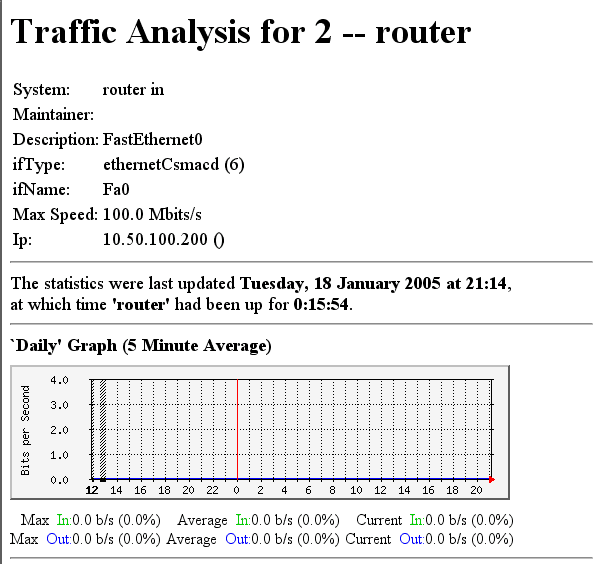
Not too painful. For more details on setup, see this article.




